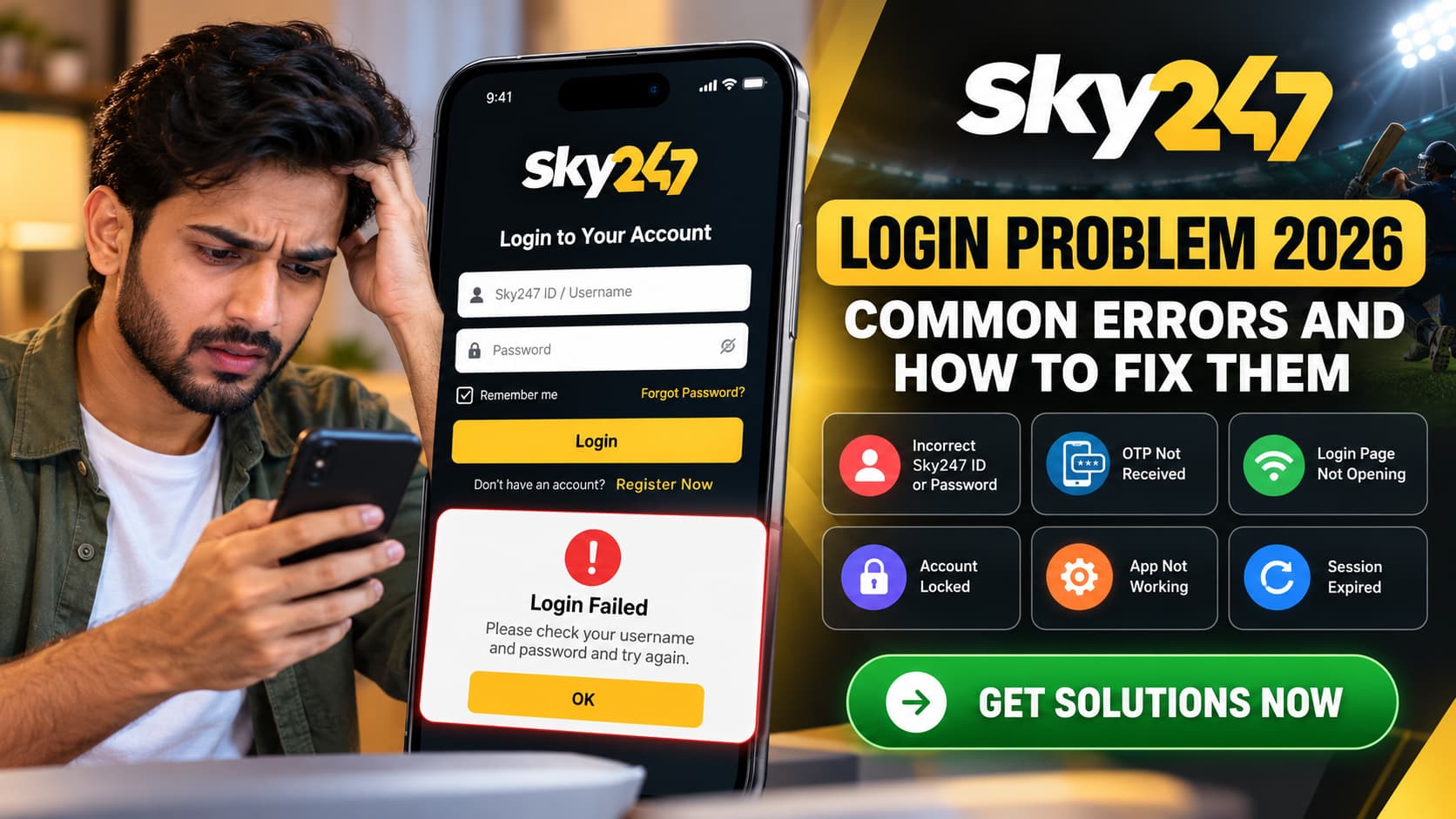
Trying to access your Sky247 account but getting an error message? You’re not alone. Login problems can happen for several reasons, including incorrect passwords, expired sessions, verification issues, browser settings, or temporary server interruptions. Sometimes, the website loads normally, but the login button simply doesn’t respond.
For users who depend on regular account access, these interruptions can be frustrating, especially when there is no clear explanation of what went wrong.
The good news is that many Sky247 Login problems can be investigated with a few straightforward troubleshooting steps. However, the right solution depends on the error you are experiencing.
Whether you already have a Sky247 ID, recently completed the Sky247 Register process, or are accessing the platform from a mobile browser, this guide explains common login issues, possible causes, and practical ways to address them without compromising your account security.
Read This Guide<<<<Sky247 Login & Registration Guide: How to Create and Access Your Account
Why Is Sky247 Login Not Working?
A failed login doesn’t always mean your account has been blocked. In many cases, the issue may involve your device, browser, internet connection, or login details rather than the account itself.
Here are some common reasons users may experience login difficulties:
- Incorrect Sky247 ID or password.
- Expired login sessions or outdated browser cookies.
- Temporary website maintenance or server interruptions.
- Delayed or expired verification codes.
- An account awaiting verification or subject to restrictions.
- Browser extensions interfering with the login page.
- An outdated or incompatible mobile application.
- An untrusted or incorrect Sky247 website address.
Identifying the cause before attempting multiple fixes can save time and help prevent unnecessary account lockouts.
1. Sky247 Login Failed Due to Incorrect Username or Password
One of the most common reasons for a Sky247 Login problem is entering the wrong account credentials.
It’s easy to make a typing mistake, particularly when accessing an account through a mobile device. An extra space, incorrect character, or automatically saved old password may prevent successful authentication.

How to fix it
Start by checking your Sky247 ID or username carefully. Make sure there are no extra spaces and verify whether the password is being entered correctly.
If your browser fills in a password automatically, consider whether it may be using outdated credentials. Avoid making repeated guesses, as some authentication systems temporarily restrict access after multiple failed attempts.
If the password is genuinely forgotten, use the authenticated account-recovery process rather than asking an unknown third party to reset it.
2. Sky247 Login Page Not Opening or Loading Properly
Sometimes, the problem begins before you even reach the login form. The Sky247 website may take too long to respond, display a blank page, or fail to load certain elements.
Possible causes include a weak internet connection, browser problems, DNS issues, scheduled maintenance, or a server-side interruption.
What you can do
First, check whether other websites load normally on your device. If they do, the issue may be specific to the service rather than your connection.
You can also try opening the verified Sky247 website in a different browser, updating your existing browser, or clearing the site’s cached files.
Avoid following random mirror links promoted on social media. A website that resembles Sky247 is not necessarily operated by the same provider.
3. Sky247 OTP Not Received During Login
Some account systems use a one-time password, commonly called an OTP, to confirm account ownership or authorise sensitive changes.
If your Sky247 account uses OTP verification, a missing or delayed code can prevent you from completing the login process.
Common reasons for OTP problems
Verification messages may be delayed because of mobile network congestion, incorrect registered contact information, SMS filtering, or a temporary authentication-service issue.
How to resolve OTP errors
Check that your registered phone number or email address is still accessible. Look in your email spam folder if the verification code is delivered by email.
If the system offers a resend option, use it only after the recommended waiting period. Enter the most recent valid code because older codes may expire when a new one is generated.
Security reminder: Never share your OTP with anyone, including people claiming to represent Sky247 customer support.
4. Sky247 Account Locked or Temporarily Restricted
An account restriction can be more complicated than a normal password error.
Some platforms temporarily lock accounts after repeated login failures or suspicious access attempts. Restrictions may also result from incomplete verification, policy-related issues, or security reviews.
If your Sky247 ID is restricted, repeatedly refreshing the login page is unlikely to resolve an account-level limitation.
What should you do?
Read any error message carefully to understand whether the restriction is temporary or requires additional action.
Check for genuine notifications from the account provider. If the problem continues, contact an authenticated support channel and request clarification.
Do not create duplicate accounts to bypass a restriction, and never pay an unknown individual who promises to unlock an account.
5. Sky247 Login Problem on Android or iPhone
Mobile login problems are particularly inconvenient because users may switch between Wi-Fi and mobile data or use different browsers throughout the day.
If the Sky247 Login page works on one device but fails on another, the problem may involve local browser settings, outdated software, or session data.
Mobile troubleshooting steps
- Confirm your phone has a stable internet connection.
- Update Chrome, Safari, or your preferred mobile browser.
- Close unnecessary browser tabs and reopen the verified website.
- Clear cached site data when necessary, understanding that this may sign you out.
- Check whether the device’s date and time are set correctly.
- Restart your phone if the problem continues.
For Android users, be cautious about installing an APK advertised as a login fix. Unverified APK files may contain harmful software or imitate genuine login screens.
6. Sky247 Login Session Expired: What Does It Mean?
Have you ever opened a website, entered your details, and received a message indicating that your session has expired?
A session is the temporary authenticated connection between your device and an online service. Websites frequently limit session duration to protect accounts from unauthorised access.
A session may expire after inactivity, a password change, a security update, or an authentication-system issue.
If you encounter this problem, close the session and start again using the verified login page. Avoid keeping an account open on shared devices, and sign out when you have finished using the service.
7. Sky247 Login Not Working After Password Reset
Resetting your password should normally help restore account access, but the process can sometimes create temporary confusion.
For example, a browser may continue using a previously saved password even after the account password has changed.
Check whether the reset process was fully completed and use the newly created password. Remove or update outdated saved credentials in your password manager.
If your Sky247 ID remains inaccessible after a successful reset, contact authenticated support rather than sending your password or recovery code to someone through WhatsApp or Telegram.
Read More<<<Sky247 Registration Guide: Create Your Account Step by Step
8. Sky247 Register Problem: New Account Login Issues
Some users encounter login difficulties shortly after completing the Sky247 Register process.
For example, a newly created account may not recognise the entered username, or an additional verification step may remain incomplete.
Sky247-branded registration pages show different registration and login methods, including username/password and mobile verification. The exact process can therefore vary by the service being accessed.
If you have recently registered, check whether your account creation was confirmed and whether you are using the credentials associated with that account.
Do not register repeatedly just because your first login attempt fails. Instead, verify the account status using a trusted support channel.
Sky247 Login Errors: Quick Troubleshooting Table
| Sky247 login error | Possible cause | What to do |
|---|---|---|
| Invalid Sky247 ID | Incorrect username | Recheck account details |
| Wrong password | Mistyped or old password | Use verified password recovery |
| OTP not received | Network or delivery delay | Check registered contact details |
| Login page not loading | Browser or server problem | Check connection and browser |
| Account temporarily locked | Repeated failed attempts | Contact authenticated support |
| Session expired | Inactivity or authentication timeout | Start a new secure session |
| Sky247 App not opening | Software or device issue | Check compatibility and updates |
| Registration not recognised | Incomplete signup or verification | Confirm account registration |
How to Contact Sky247 Support for Login Problems
When basic troubleshooting doesn’t work, the next step is to contact an authenticated customer support channel.
Several websites presenting themselves as Sky247 provide live chat, email, telephone, WhatsApp, or Telegram support. Because multiple domains use similar branding, independently verify the operator before trusting any contact details.
When reporting a login issue, provide a brief description of the error, when it began, the device and browser you are using, and a screenshot with sensitive information hidden.
Never send your password, OTP, payment PIN, or full banking details to a support agent.
Read This<<<Sky247 Game Rules: What Beginners Should Know Before Playing
Tips to Avoid Sky247 Login Problems in the Future
A few simple habits can reduce unnecessary login issues and improve account security.
- Use a strong, unique password for your Sky247 ID.
- Keep your phone’s operating system and browser updated.
- Avoid saving passwords on shared or public devices.
- Check website addresses carefully before entering login details.
- Keep recovery contact information current, where account settings permit.
- Never share account verification codes.
- Sign out when using someone else’s device.
- Avoid unverified Sky247 APK downloads and suspicious login links.
These practices are especially important when accessing accounts through public Wi-Fi or unfamiliar devices.
Frequently Asked Questions About Sky247 Login Problems
1. Why is my Sky247 Login not working today?
A login failure may result from incorrect credentials, browser errors, connection problems, or a service interruption. Check the displayed error before choosing a solution. A current platform-wide outage has not been verified.
2. How can I recover my Sky247 ID?
Use the account recovery option provided by your authenticated Sky247 service. If your username or registered contact details are no longer available, request assistance through a verified support channel.
3. What should I do if I forgot my Sky247 password?
Look for a genuine password-recovery option on the authenticated login page. Follow the instructions provided and never share a password reset link or verification code with another person.
4. Why am I unable to log in after Sky247 Register?
The registration process may be incomplete, your account may require verification, or the credentials may have been entered incorrectly. Confirm registration before trying again.
5. Can I use my Sky247 ID on Android and desktop?
Some Sky247-branded services describe shared account access across their website and application. However, this should be confirmed with the particular provider managing your account.
6. How do I fix a Sky247 Login page that keeps refreshing?
Clear the site’s cached data, check browser extensions, ensure cookies are enabled where required, and retry through the authenticated website.
7. What happens if my Sky247 account is locked?
The account may require a waiting period, security verification, or a support review. Follow the instructions associated with the restriction and avoid attempts to bypass account security controls.
8. Is it safe to use Sky247 Login links shared on WhatsApp?
Not automatically. Links shared through messaging services can lead to imitation websites. Independently confirm the destination before entering account credentials.
Conclusion: Resolve Sky247 Login Problems Safely
A Sky247 Login problem doesn’t always mean something serious has happened to your account. Many difficulties are caused by forgotten passwords, browser-related errors, incomplete verification, or temporary connection issues.
Whether you’re having trouble accessing your Sky247 ID, experiencing problems after Sky247 registration, or trying to recover an existing account, identifying the actual error is the most effective starting point.
Still experiencing a Sky247 Login issue? Review the troubleshooting steps above and use an authenticated Sky247 support channel if the problem remains unresolved. Protect your login credentials, avoid suspicious websites, and prioritise account security throughout the recovery process.