Downloading an Android app usually takes only a few minutes. We select the file, wait for the download to finish, and begin the installation. However, things do not always go as planned. Sometimes, Android displays an error message, stops the installation, or refuses to open the APK file.
If we are trying to install the Sky247 APK and facing similar problems, there can be several reasons behind the error. The downloaded file may be incomplete, the phone may not have enough storage, or the Android version may not support the application.
In some cases, Android security settings may also prevent the installation. These restrictions are designed to protect our devices from harmful applications, so we should understand the warning before making changes.
The good news is that many common APK installation problems can be checked without advanced technical knowledge. We only need to identify the possible cause and follow the right troubleshooting steps.
In this guide, we will explain why an APK may fail to install, how to check Android compatibility, what different error messages mean, and how to handle installation problems safely. We will also discuss when it is better to stop troubleshooting and contact support.
Why Is the Sky247 APK Not Installing on Android?
When an APK does not install, the problem is not always caused by the application itself. Android uses several checks before allowing an app to be installed on a device.
These checks include file integrity, Android version compatibility, available storage, app signatures, and device security rules.
If any of these checks fail, Android may stop the installation and display an error message.
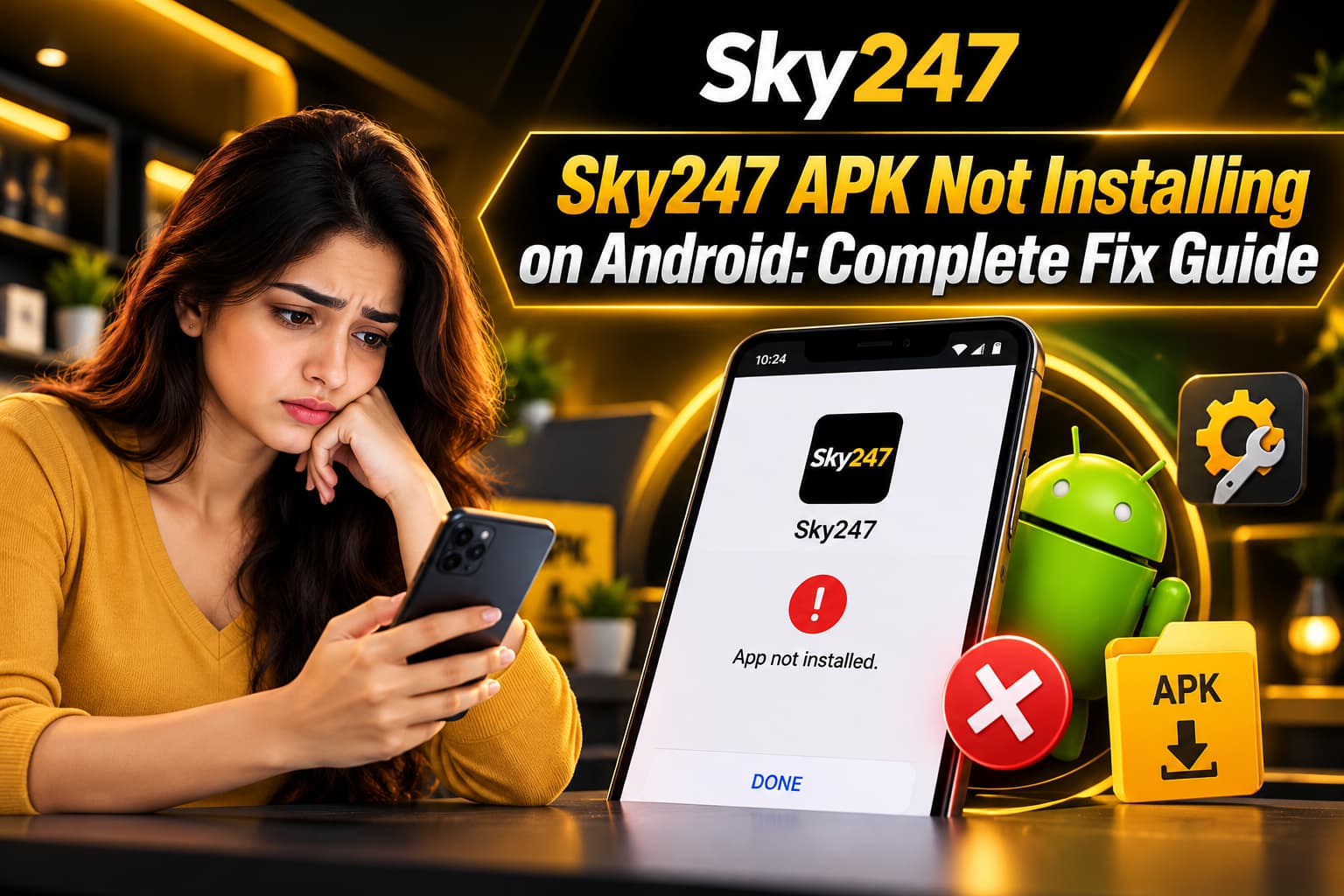
For example, we may see a message saying “App not installed” even when the APK file appears to have downloaded correctly. In other situations, the phone may display “There was a problem parsing the package.”
Both messages indicate an installation problem, but they do not necessarily have the same cause.
Understanding the possible reason behind the error is the first step toward finding a suitable solution.
Common Reasons an APK Installation Fails
One common reason is an incomplete APK download. If the internet connection stops while the file is downloading, some parts of the package may be missing.
Another possible cause is limited phone storage. Android needs enough free space to install the application and create the files required for it to run.
Compatibility problems can also prevent installation. An APK designed for a newer Android version may not work on an older device.
Security checks, conflicting app versions, and damaged installation files are other possible reasons.
Rather than changing several phone settings at once, we should identify the most likely cause and check it carefully.
Check Whether Your Android Device Supports the APK
Before trying to install an APK again, we should confirm that our Android device meets the application’s technical requirements.
Not every APK works on every Android phone. Some applications require a minimum Android version, while others are designed for particular device processors.
If our phone does not meet those requirements, the installation may fail even when the downloaded file is complete.
How Android Version Compatibility Affects Installation
Android applications are built to work with specific operating system versions.
For example, an application requiring Android 10 or later may not install on a phone running Android 8.
To check the Android version, we can open the phone’s Settings menu and look for About Phone or Software Information.
The exact menu name may differ depending on the phone manufacturer.
Once we know the Android version, we can compare it with the minimum requirements published by the application’s verified developer or distributor.
If the application requires a newer operating system, repeatedly downloading the same file will not solve the compatibility problem.
Why Phone Processor Compatibility Matters
Android phones use different processor types and system designs.
Some APK files are built for specific processor architectures, while others support several device types.
If the APK does not match the device architecture, Android may reject it during installation.
This problem is less obvious than a storage warning because the phone may only display a general installation error.
We should not try random APK versions from unknown websites to solve this issue. Instead, we should look for verified compatibility information from the developer.
Check Available Storage Before Installing the APK
Limited storage is another common reason why Android applications fail to install.
An APK file may appear small, but Android often needs additional space to unpack the installation package and prepare the application.
If the phone is nearly full, the installation process may stop before completion.
How Low Storage Causes Installation Errors
Suppose our phone has only a small amount of free space remaining.
Even if the APK download completes, Android may not have enough room to install the application.
This can result in a failed installation or an error message about insufficient storage.
To check available space, we can open Settings and select Storage.
The phone will normally display how much storage is being used by applications, images, videos, and other files.
How to Free Storage Safely
If storage is limited, we can review files that are no longer needed.
Old downloads, duplicate images, and unused applications may be taking up space.
We can also move personal photos and videos to a trusted backup location if we want to keep them.
However, we should avoid deleting system files or important application data without understanding what they contain.
Once enough space is available, we can check whether the installation problem was related to storage.
What Does the “App Not Installed” Error Mean?
The “App not installed” message is one of the most common Android APK errors.
Unfortunately, the message does not always explain exactly why the installation failed.
It may appear because the APK is damaged, the application is incompatible, or an existing installed version conflicts with the new package.
Android may also reject the file if its digital signature does not match the signature of an application already installed on the phone.
Existing App Version Conflicts
Sometimes, an Android device already contains an application with the same package name as the APK being installed.
If the existing application was signed with a different developer certificate, Android may refuse to replace it.
This is an important security feature because it helps prevent one application from silently replacing another.
We should not automatically uninstall an existing app to bypass this protection.
Uninstalling may remove local data, and a signature mismatch can also indicate that the new APK is not from the same developer.
The safer approach is to verify the publisher and confirm whether the replacement file is genuine.
Why Repeated Installation Attempts May Not Help
If Android rejects an APK because of compatibility or signature problems, repeating the installation usually produces the same result.
Restarting the phone may help with a temporary system problem, but it cannot repair a damaged package or make an incompatible application work.
We should use the error message and device information to narrow down the cause before trying again.
Understanding the “Problem Parsing the Package” Error
Another error Android users may encounter is “There was a problem parsing the package.”
This message often indicates that Android cannot correctly read the APK file or its installation details.
A damaged download is one possible cause. An unsupported Android version or invalid package structure may also produce a parsing error.
How an Incomplete APK Download Causes Problems
When an APK download is interrupted, the file may still appear in the Downloads folder.
However, the file may not contain all the information Android needs to install it.
This can happen when the internet connection becomes unstable or the download stops unexpectedly.
We should check whether the file size matches the size published by the verified distributor, if that information is available.
If the file is incomplete, it should not be installed.
Why File Names and Extensions Matter
Some Android applications are also distributed using split packages or app bundles that require an approved installation method.
If a file cannot be opened as a normal APK, we should first confirm its actual format rather than changing the extension or using an unknown installer.
Check Whether the APK File Is Genuine
One of the most important parts of Android troubleshooting is checking the source of the installation file.
APK files can be shared through websites, messaging applications, and third-party download pages.
However, not every file claiming to be an official application is genuine.
A modified APK may contain harmful software or request access to information that the application does not need.
Why Download Sources Matter
When we look for Sky247 App Download information, we should verify the publisher before trusting any APK link.
A website using a familiar logo or similar name is not enough to prove that the file is authentic.
We should check whether the developer provides a verified download source, clear app details, and trustworthy support information.
If the publisher cannot be confirmed, avoiding the installation is safer than experimenting with unknown files.
How to Recognise a Suspicious APK
A suspicious APK may come from a page that promises unusual features or asks us to disable several Android security protections.
It may also request permissions unrelated to its stated purpose.
For example, an application that does not need access to text messages, contacts, or accessibility controls should not require those permissions without a clear reason.
Unexpected permission requests are a reason to investigate further.
We should also be cautious of files distributed through unknown social media accounts or messaging groups.
Understand Android’s Unknown App Installation Warning
Android includes security controls for applications installed outside approved app stores.
Depending on the Android version, the phone may ask whether a particular browser or file manager is allowed to install applications.
This permission is often described as “Install unknown apps.”
The warning does not automatically mean every APK is harmful. However, it tells us that Android cannot rely on the usual app-store distribution checks.
Why Android Restricts Unknown Applications
Android’s installation controls are designed to reduce the risk of harmful software reaching our phones.
Applications obtained from unknown sources may not have gone through the same review process as those distributed through established app stores.
This is especially important when an application may handle personal details or financial information.
If Android blocks an APK, we should understand the reason rather than immediately changing security settings.
Should We Disable Android Security Protections?
We should not disable Play Protect or other device security features simply to make an APK install.
If a security tool identifies the file as harmful, the warning deserves attention.
Disabling protection may expose the device to malware, data theft, or unauthorised activity.
When an installation depends on bypassing a serious security warning, the safest choice is to stop and verify the application with its legitimate developer.
Can Android System Updates Solve APK Problems?
An outdated Android operating system can sometimes cause application compatibility problems.
Developers may build newer applications using features that older Android versions do not support.
As a result, an APK that works on a recent phone may fail on an older device.
Check for Available Android Updates
We can open Settings and look for Software Update or System Update.
The phone will normally show whether an official update is available.
Before installing a system update, we should back up important files and ensure the phone has enough battery power.
Official updates may improve security, stability, and compatibility with newer applications.
However, an update is not guaranteed to solve every APK installation error.
What If the Phone No Longer Receives Updates?
Some older Android devices no longer receive new operating system versions.
If an APK requires a newer version than the phone supports, the application may remain incompatible.
We should avoid downloading unofficial system updates from unknown websites simply to force the installation.
Such files may damage the phone or create security risks.
A supported device or verified browser-based alternative may be safer, where one is available.
Why an APK May Install but Fail to Open
Sometimes, Android completes the installation successfully, but the application closes immediately after opening.
This is different from an APK installation failure.
The app may have compatibility problems, missing components, corrupted local data, or a software bug.
We may see a blank screen, repeated crashes, or a message saying the application has stopped.
Understanding App Crashes After Installation
An application can install successfully while still having problems during normal use.
For example, it may depend on a system feature that is unavailable on the phone.
It may also contain an error that only appears when the application starts.
If the app was obtained from a verified source, we can check whether the developer has published a newer compatible version.
We should not assume that reinstalling the same file repeatedly will solve an ongoing software bug.
When Clearing Cache May Help
For an already installed application, clearing its cache may help with some temporary problems.
Android usually provides this option under Settings, Apps, and the selected application’s Storage section.
Clearing cache is different from clearing app data.
Removing app data may erase local settings or saved information, so we should understand the difference before selecting either option.
Does Sky247 Login Affect APK Installation?
A Sky247 Login issue is different from an APK installation problem.
Installation happens before we begin using an application account.
If Android cannot install the APK, changing a password or trying different login details will not repair the installation package.
However, once an application is installed and opens correctly, account access problems may become relevant.
At that stage, we should treat login errors and installation errors as separate issues.
This helps us avoid spending time on account settings when the actual problem is related to the Android device.
Is Sky247 Register Required to Fix Installation Errors?
The process referred to as Sky247 Register is related to account creation rather than Android package installation.
Creating an account does not repair an incomplete APK file or solve a device compatibility problem.
If the installation fails before the application opens, the first checks should involve the file source, Android version, storage space, and error message.
Account registration should not be used as a troubleshooting method for an APK that Android refuses to install.
Keeping these two processes separate makes the problem easier to understand.
Does a Sky247 ID Help Resolve APK Errors?
A Sky247 ID is associated with account access, but it does not determine whether Android can read and install an APK.
The operating system checks the application package independently of a user’s account details.
If we receive an “App not installed” or parsing error, providing account credentials will not fix the technical problem.
We should also avoid sharing passwords or sensitive account information with anyone claiming they can repair an APK remotely.
A legitimate support process should not require us to reveal passwords or one-time verification codes.
Are Sky247 Exchange Features Related to Installation Problems?
The term Sky247 Exchange describes a platform feature rather than an Android installation requirement.
An APK installation failure does not normally depend on which cricket or exchange markets we want to view.
Android must first confirm that the application package is valid and compatible.
Only after a successful installation can we assess whether particular features are available and working correctly.
This distinction is useful because it separates technical installation problems from issues involving individual platform services.
Can Sky247 Casino Features Cause an APK Installation Error?
The availability of Sky247 Casino features does not by itself explain why an Android package fails to install.
Android installation checks focus on the application file, device compatibility, security requirements, and package details.
If the APK is incompatible or damaged, the installation may fail regardless of which features the application is intended to provide.
We should therefore focus on the actual error message instead of assuming that one specific platform feature is responsible.
Does a Sky247 Bonus Affect Android APK Installation?
A Sky247 Bonus is unrelated to the technical process Android uses to install an application.
Promotional terms cannot repair a damaged APK, create more storage space, or resolve a digital signature mismatch.
If an installation fails, we should not follow promotional messages that direct us to unfamiliar APK mirrors or ask us to disable security protections.
The authenticity and safety of the installation file should always come before any promotional offer.
When Should We Contact Customer Support About APK Problems?
Sometimes, the basic troubleshooting checks do not explain why an APK is failing.
We may have enough storage, a supported Android version, and a complete download, but the installation still does not work.
In this situation, contacting the verified developer or official support team may help clarify whether the APK is compatible with our device.
What Information Should We Provide?
When reporting an installation problem, we can describe the Android version, phone model, and exact error message.
We can also explain whether the issue happens during download, installation, or when opening the application.
A screenshot of the error message may help support staff understand the problem.
However, screenshots should not reveal passwords, account balances, one-time codes, or other sensitive information.
We should never provide remote access to our phone to an unknown person who claims to offer installation support.
How to Identify Genuine Support
Before contacting a support service, we should verify that the contact details belong to the legitimate developer or distributor.
Fraudulent support accounts may use familiar branding to appear trustworthy.
If someone asks us to install an unrelated remote-control application or share private verification codes, we should stop the conversation.
Technical assistance should focus on diagnosing the issue without exposing our personal information.
These simple precautions can help protect the phone and reduce avoidable installation errors.
Read more : Sky247 Withdrawal Successful but Money Not Received? Causes, Solutions & Payment Guide 2026
How to Avoid APK Installation Problems in the Future
Preventing installation problems is often easier than repairing them after they happen.
We can reduce common errors by keeping Android updated, maintaining enough free storage, and using verified application sources.
We should also avoid downloading several different APK versions from unrelated websites.
Doing so can make it harder to identify which file is genuine and may increase the risk of installing unsafe software.
When Android displays a security warning, we should read it carefully rather than treating it as an unnecessary obstacle.
Keeping important files backed up is another useful habit, especially before major system updates or application changes.
These simple precautions can help protect the phone and reduce avoidable installation errors.
Read more : Sky247 Login Problem 2026: Common Errors and How to Fix Them
A Safer Way to Resolve Sky247 APK Installation Problems
An APK installation error can be frustrating, especially when the download appears to have completed successfully. However, the message usually indicates a technical issue that needs to be identified before the installation can continue.
We have explored several possible causes, including incomplete downloads, limited storage, unsupported Android versions, damaged packages, and conflicts with existing applications.
We have also seen why Android security warnings matter and why installing APK files from unverified sources can create unnecessary risks.
The most useful approach is to identify the error, check the device requirements, and confirm that the installation file comes from a trustworthy publisher.
If the problem continues, we should seek guidance from verified support rather than using unknown installers or disabling important security features.
By following these precautions, we can better understand Android APK errors, protect our personal information, and avoid common mistakes when troubleshooting an application installation.
Explore : https://sky247ind.org/in/en/
Frequently Asked Questions (FAQs)
1. Why is the Sky247 APK not installing on my Android phone?
The APK may fail to install because of insufficient storage, an incomplete download, an unsupported Android version, or a damaged installation file. Android security restrictions and existing app conflicts can also cause installation errors.
2. How can we fix the Sky247 APK installation error?
We should first check our phone’s storage, Android version, and APK file integrity. We should also verify that the file comes from a trustworthy source. If the issue continues, contacting verified developer support may help.
3. What does “App not installed” mean on Android?
The “App not installed” message means Android could not complete the installation. Possible causes include incompatible software, damaged APK files, conflicting app signatures, or insufficient device storage.
4. Why does the Sky247 APK show a parsing error?
A parsing error usually means Android cannot correctly read the APK package. This may happen because the download is incomplete, the file is damaged, or the application is incompatible with the Android version.
5. How much storage is needed to install an Android APK?
The required storage depends on the application’s size and installation requirements. Android usually needs additional free space to unpack the APK and create application files.
6. Can an outdated Android version prevent APK installation?
Yes. Some applications require a minimum Android version. If our phone runs an older version than the application supports, Android may reject the installation.
7. Is it safe to enable unknown app installation on Android?
Installing applications from outside trusted app stores carries additional security risks. We should verify the publisher and file authenticity before considering installation permissions, and we should not disable Android security protections to bypass warnings.
8. Why does the APK download successfully but fail to install?
A completed download does not always mean the APK is valid. The file may be corrupted, incompatible with the device, or signed differently from an existing installed application.
9. Can we install the Sky247 APK on older Android phones?
Compatibility depends on the application’s minimum Android version and processor requirements. If an older phone does not meet these requirements, the APK may not install.
10. Does Sky247 Login affect APK installation?
No. Login details are separate from the Android installation process. If the APK cannot be installed, changing a username or password will not resolve the technical error.